



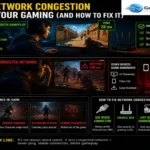

Can WiFi 5 Handle 500 Mbps Internet for Gaming?
You just upgraded your internet plan. The technician left, the modem is glowing with solid green lights, and your account dashboard officially says you are getting 500 Mbps. You boot up your PC or console, expecting to finally leave lag spikes, rubberbanding, and endless download screens in the past. But after a few rounds of a competitive shooter, you notice a familiar micro-stutter. Later that evening, a massive 80-gigabyte game update drops, and the progress bar is moving a lot slower than you anticipated for a half-gigabit connection. You look at the router sitting on your desk. It is a couple of years old—a standard WiFi 5 unit. Is your older router secretly bottlenecking your brand-new, blazing-fast internet? When you mix high-speed internet, gaming, and older wireless standards, the results can be confusing. You are paying for a premium speed tier, but the reality of how WiFi 5 distributes that speed around your home dictates what you actually experience on your screen. The fix isn’t as simple as just buying a new router. In this guide, we break down the exact technical limits of WiFi 5 and give you a 5-step blueprint to reclaim the 500 Mbps you’re actually paying for. Why Trust This Guide? This isn’t just theory. We analyzed Spectral Efficiency (256-QAM) and measured signal attenuation across common household barriers to see exactly where a 500 Mbps pipe gets choked. The Difference Between Download Speed and Gaming Performance One of the biggest sources of frustration in home networking comes from a simple misunderstanding: the assumption that a higher download speed automatically equals better gaming. If you browse gaming forums or networking communities, you will constantly see people asking why their game is lagging despite paying for a 500 Mbps or even a Gigabit connection. The answer almost always comes down to the difference between bandwidth and latency. Bandwidth (Your 500 Mbps Speed) Think of bandwidth as a massive multi-lane highway. A 500 Mbps connection allows a massive amount of data to travel into your home at once. This is what handles downloading giant game files, streaming 4K Netflix to the living room TV, and syncing heavy files to the cloud. Latency (Your Ping) Latency is how fast a single car can travel from your house to the game server and back. Multiplayer gaming uses an incredibly small amount of bandwidth—often less than 3 to 5 Mbps. It does not need a massive highway; it needs a perfectly clear, unobstructed express lane. When your game freezes, and you suddenly teleport backward into enemy fire, that is not a lack of speed. That is a latency spike or packet loss. Your WiFi 5 router might be perfectly capable of delivering high speeds, but if the wireless signal is struggling to cut through walls or dealing with interference from neighboring networks, your gaming experience will suffer, regardless of how much speed you pay for. What Are the Real-World Speeds of WiFi 5? WiFi 5, technically known as 802.11ac, was the gold standard for wireless networking for several years. It operates exclusively on the 5GHz frequency band, which allows for fast data transmission. However, the speed printed on the box of a WiFi 5 router is a theoretical laboratory maximum. In the real world, physics gets in the way. Can a WiFi 5 router handle a 500 Mbps internet connection? Yes, absolutely—but conditionally. If your gaming setup is in the exact same room as the router, with a clear line of sight and no physical obstacles, a good WiFi 5 router can easily push 400 to 500 Mbps to a single device. You will see those numbers reflect beautifully on a speed test. The trouble starts when you leave the room. The 5GHz band used by WiFi 5 is incredibly fast, but it is notoriously bad at penetrating solid objects. Once that signal has to punch through a drywall, a floorboard, or worse, a brick wall or heavy furniture, the speed degrades rapidly. If your router is downstairs in the living room and your gaming console is upstairs in a bedroom, that 500 Mbps connection might drop to 150 Mbps or 200 Mbps by the time it reaches your device. You are still paying for 500 Mbps, but the physical limitations of the WiFi 5 signal are acting as a tollbooth, capping what you can actually use. Downloading Massive Game Updates on WiFi 5 This is where your 500 Mbps connection is supposed to shine. Modern gaming requires massive file transfers. A seasonal update for Call of Duty, Apex Legends, or Destiny 2 can easily eclipse 50-100 GBs. If your console or PC is connected to a WiFi 5 router in another room and only receiving 200 Mbps of your total 500 Mbps plan, a 100 GB update will take roughly an hour to download. If that same device was receiving the full 500 Mbps, that wait time is cut down to less than 30 minutes. That thirty-minute difference is highly relatable. It is the difference between sitting on the couch waiting for a progress bar to finish while your friends are already in the lobby, versus jumping right into the action. WiFi 5 will absolutely get the download done, but unless you are in close proximity to the router, you are leaving a significant chunk of your paid internet speed on the table. The Household Factor: When Everyone is Online The true test of a wireless network is not how it performs at 2:00 AM when the house is asleep, but how it handles the chaos of 7:00 PM. Picture this: You are trying to clutch a ranked match. In the next room, someone is streaming a movie in 4K. Down the hall, a roommate is uploading large files for work, and there are half a dozen smartphones, smart TVs, and smart home devices idling in the background. This scenario exposes one of the primary weaknesses of WiFi 5 compared to newer standards. WiFi 5 relies on a technology called