
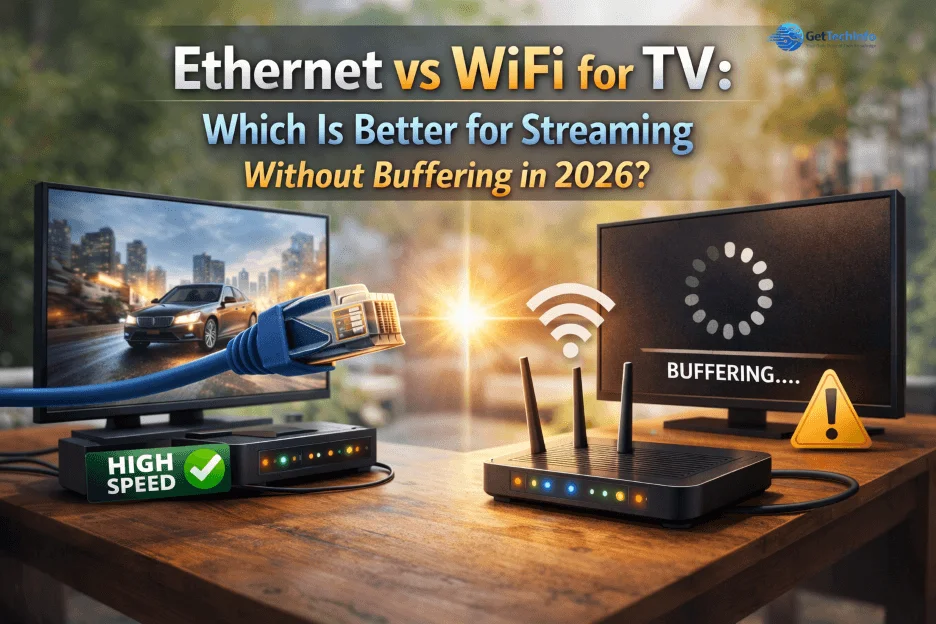
Yes, Ethernet is usually better than WiFi for TV streaming because it gives you a steadier connection, fewer buffering interruptions, and more reliable playback—especially for 4K movies, live sports, and long streaming sessions.
Let’s be honest: streaming on a smart TV should be simple, but it often isn’t.
You sit down after a long day, open your favorite app, and hit play. Everything looks fine until the most exciting moment arrives.
Imagine watching a tense cricket match. The batsman smashes the ball high into the air, the fielder sprints across the boundary, dives full stretch for a stunning catch—and right at that exact moment, buffering starts. The screen freezes with the fielder still hanging in the air, hands outstretched, while everyone in the room waits to know if he caught it or not.
That usually means the issue is not internet speed—it is connection stability.
WiFi is convenient, but TVs are often placed far from the router, behind walls, or in corners where signals weaken. Smart TVs can also have weaker WiFi performance than phones or laptops.
Ethernet solves many of these problems by giving your TV a direct wired connection to the router. No random signal drops. No guessing why Netflix suddenly lowered video quality.
If your TV already streams smoothly, WiFi may be enough. But if movie night keeps turning into buffering night, Ethernet is often the smarter fix.
Ethernet vs WiFi for TV – Quick Answer
For most users, Ethernet is the better choice for TV streaming because it provides a stable and consistent connection with minimal buffering. WiFi is more convenient, but it can be less reliable due to signal interference, distance from the router, and network congestion.
If you want smooth 4K streaming or buffer-free playback, Ethernet is usually the best option. However, a strong and well-optimized WiFi setup can still deliver good performance for everyday viewing.
What Is Ethernet and WiFi ?
Ethernet is a wired connection that links your router directly to your TV using a cable.
WiFi is a wireless connection that lets your TV connect without cables.
Ethernet is usually better for stability, while WiFi is better for convenience.
Ethernet vs WiFi: Key Differences That Affect Streaming on TV
When it comes to streaming, the difference is not just technical — it directly affects your viewing experience.
1. Stability: The Real Reason Behind Buffering
If your TV keeps buffering even with a fast internet plan, the issue is often stability — not speed.
WiFi connections are affected by multiple factors:
- Distance from the router
- Walls and obstacles
- Other connected devices
- Signal interference
Because of this, WiFi speed is not consistent. It can fluctuate throughout the day. This is why your TV might work fine in the morning but struggle at night when more devices are connected.
Ethernet, on the other hand, provides a direct connection. There is no signal interference, no fluctuation, and no random drops.
Real-life tip: In many homes, connecting the TV via Ethernet instantly reduces buffering during peak hours.
2. Speed: Real Speed vs Advertised Speed
Many people think, “I have a fast internet plan, so everything should work perfectly.”
But the speed you get on WiFi is often lower than what your plan offers. WiFi loses strength over distance and gets divided between multiple devices.
Example: A 100 Mbps plan might give you only 40–60 Mbps on WiFi, and even less when multiple users are active.
With Ethernet, your TV gets a direct and stable speed.
This becomes especially important for:
- 4K streaming
- HDR content
- High-bitrate videos improve more smoothly
Ethernet ensures you get closer to your actual internet speed, which is why many users see instant improvement when switching from WiFi.
3. Convenience: Where WiFi Clearly Wins
Not every home setup allows Ethernet connections easily. Running a cable across the house may feel messy or inconvenient.
With WiFi:
- No cables required
- Setup is quick and simple
- You can place your TV anywhere
For casual streaming, WiFi works just fine. That’s why most users still rely on WiFi, even if it’s not the most stable.
4. Latency: Important for Live Streaming and Gaming
Latency refers to the delay between sending and receiving data. For normal video streaming, latency is often not noticeable. But for real-time content, it matters a lot.
If you watch:
- Live sports
- News broadcasts
- Cloud gaming
You might notice delays or lag on WiFi. Wireless connections take slightly longer to transmit data compared to wired ones.
Ethernet offers much lower latency, which means:
- Faster response
- Less delay
- Smoother real-time experience
For gaming or live content, Ethernet is a better option.
5. Reliability: Fewer Drops and Interruptions
WiFi connections can drop unexpectedly. You may have experienced moments where:
- The connection suddenly disconnects
- Apps stop loading
- Streaming pauses without warning
This is usually caused by unstable signals or network congestion. Ethernet connections are far more reliable because they don’t depend on signal strength.
Once connected, Ethernet stays stable unless there’s an issue from your internet provider.
Ethernet vs WiFi for Smart TV: Quick Performance Comparison
When comparing Wired vs Wireless Connection for TV the real difference shows up in everyday streaming situations, not just technical specs. Here’s how both perform in real home setups.
| Feature | Ethernet | WiFi |
| Stability | Streaming 4K Netflix or Disney+ during peak hours with zero buffering | 4K streaming on WiFi may stutter or buffer on smart TVs when multiple devices are active |
| Speed | A 100 Mbps plan delivers nearly full speed consistently on TV | 100 Mbps plan drops to 40–60 Mbps if TV is far from router or many devices connected |
| Latency | Cloud gaming or live sports reacts instantly with no noticeable lag | Cloud gaming experiences slight delay; live sports may lag behind real-time |
| Reliability | TV stays connected even during long streaming sessions | WiFi may disconnect unexpectedly, especially in crowded networks |
| Interference | No effect from microwaves, walls, or neighboring WiFi networks | Signal can weaken or drop due to walls, other electronics, or nearby WiFi networks |
| Setup | Cable runs neatly behind TV; once connected, no interruptions | Easy setup, but distance from router can reduce performance |
| Best For | 4K movies, HDR content, live sports, gaming | Casual streaming like YouTube, Netflix HD, or short clips |
As shown above, Ethernet provides a more stable and consistent experience, especially for 4K streaming and live content. WiFi is more flexible, but its performance can vary depending on distance, interference, and network load.
Is Ethernet More Reliable Than WiFi for 4K Streaming?
Yes, WiFi can handle 4K streaming if the signal is strong and stable.
If buffering or quality drops happen, Ethernet is usually the better option.
Netflix 4K Streaming: Ethernet or WiFi?
Both Ethernet and WiFi can stream Netflix in 4K if your internet connection is strong enough. However, Ethernet is often the better option when users experience random quality drops, loading delays, or buffering during busy hours. WiFi remains convenient, but Ethernet usually delivers steadier performance for long streaming sessions.
When to Use Ethernet?
Ethernet provides a wired connection directly from your router to your TV, which makes it the most reliable option for high-quality streaming. Use Ethernet if:
- Your TV frequently buffers or lags
- You stream 4K or higher-resolution content
- Your router is close to your TV
- You want a stable, uninterrupted connection
- You enjoy live streaming or online gaming
Why it works: Wired connections avoid interference from walls, other devices, or WiFi congestion, giving you smoother playback and faster response times.
When to Use WiFi?
WiFi offers wireless convenience, letting you place your TV anywhere without cables. Use WiFi if:
- You prefer a clean, cable-free setup
- Your router is far from your TV
- You do casual streaming like YouTube or Netflix HD
- You rarely experience buffering issues
A strong WiFi signal and a modern router can make streaming perfectly smooth, even without a cable.
Why Your TV Buffers Even With Fast Internet?
You can have a fast internet plan and still face buffering on your TV. The reason is simple but often overlooked: streaming depends on how steady your connection is, not just how fast it looks on a speed test.
1. Speed Fluctuates More Than You Think
WiFi speed is not constant. It keeps changing in the background depending on signal strength and activity. That’s why a video may start smoothly and then suddenly pause or drop in quality after a few minutes.
2. Room Placement Affects Performance
Where your TV is placed makes a bigger difference than most people expect. If it’s in a corner, behind a wall, or inside a unit, the signal reaching it is already weaker before streaming even begins.
3. Internet Is Shared, Not Dedicated
At any given moment, your network is handling multiple things—phones syncing data, apps updating, videos playing on other devices. Your TV doesn’t get full speed; it gets what’s left at that moment.
4. TVs Handle WiFi Differently
Smart TVs are not built like smartphones. They don’t adapt as well to weak or unstable signals. So even if everything works fine on your phone, your TV might still struggle to maintain a smooth stream.
5. Small Disturbances Add Up
Even things you don’t notice—like nearby networks, wireless devices, or layout of your home—can slightly disturb the signal. These small disruptions don’t stop the internet, but they do affect streaming consistency.
In Real Home Setups
A common pattern is this: streaming works fine at first, then buffering starts randomly, especially in the evening. Nothing changed in your plan the environment did. More devices, more interference, less stability.
In most cases, the issue is not “slow internet” but an inconsistent connection. Once the connection becomes stable, streaming problems usually disappear without needing higher speed.
How to Improve WiFi Signals on Your TV (If Ethernet Is Not Possible)?
If cable is not an option, don’t worry. You can still improve your WiFi performance with a few simple steps.
1. Move Your Router Closer
Whether you choose Ethernet or WiFi for your TV, distance plays a big role—WiFi performance often drops when your TV is over 15–20 feet away or separated by multiple walls. Here’s a clear guide based on real-world usage and technical understanding.
2. Use 5GHz WiFi Band
In real home setups, the difference between 5GHz and 2.4GHz isn’t just technical—it directly affects your streaming experience.
From practical testing across different rooms and devices, here’s what actually works:
- 5GHz performs best when your TV or device is close to the router
It delivers faster speeds and lower latency, which helps reduce buffering during HD or 4K streaming.
2.4GHz works more reliably when you’re farther away or behind walls
Even though it’s slower, it maintains a stable connection where 5GHz often drops or weakens.
Steps to switch from 2.4GHz to 5GHz WiFi
Steps:
- Go to WiFi Settings on your TV / phone / laptop
- Look for two networks:
- Example:
- MyWiFi (2.4GHz)
- MyWiFi_5G (5GHz)
- Select the one with “5G” or “5GHz”
- Enter password → Connect
👉 Done. You’re now on 5GHz
3. Reduce Network Congestion
Disconnect devices that are not in use, especially while streaming.
4. Avoid Physical Obstacles
Walls, furniture, and metal objects can block WiFi signals. Keep a clear path if possible.
Use a WiFi Extender or Mesh System
buffering isn’t always caused by slow internet—it’s often due to weak WiFi signals in certain rooms.
From practical use, here’s what actually helps:
- A WiFi extender boosts your existing signal, helping it reach areas where your router struggles (like bedrooms or another floor)
- A mesh WiFi system provides more consistent coverage across the entire home, reducing dead zones completely
Real-world insight:
Simply adding an extender near a weak-signal area can stabilize the connection enough to stop buffering—without upgrading your internet plan or switching to Ethernet.
Common Mistakes Most Users Make
Many users upgrade their internet plan when facing buffering issues. But often, the problem is connection type, not speed.
Fast internet on weak WiFi can still buffer
Imagine you have a 200 Mbps plan, but your TV is in another room with a weak signal.
Even though your plan is fast, the signal drops or fluctuates—so videos keep buffering.
Average speed on a stable connection (like Ethernet) often works smoothly
Now take a 50 Mbps plan, but your TV is connected via Ethernet.
The speed is lower, but the connection is stable—so streaming runs smoothly without interruptions.
Best Setup for Smooth TV Streaming in 2026 (Ethernet vs Wifi)
Struggling with buffering even on “fast” internet?
The real issue is usually your setup—not your speed.
Here’s what actually makes a difference in real use:
- Ethernet vs WiFi: Which one truly gives stable, interruption-free streaming
- Router placement: A small change in position can instantly improve signal
- 5GHz vs 2.4GHz: Choosing the wrong band can cause buffering, especially in 4K
- Background devices: Other connected devices can quietly slow down your stream
- Firmware updates: A simple update can fix hidden performance issues
This is especially helpful if you are deciding between ethernet or wifi for tv streaming and want the best long-term solution.
Stop Buffering Instantly With Ethernet
When it comes to smooth, buffer-free streaming, Ethernet is the most reliable choice. It provides a direct connection, avoids signal interference, and keeps speed consistent even during peak hours.
If you’re facing constant buffering or quality drops, switching to Ethernet can quickly improve your streaming experience. Many users notice this issue even on high-speed plans, where fast internet still struggles due to unstable connections.
After testing both connections in real home setups, one thing becomes clear—your connection type matters more than your internet speed.
Quick Recommendation by Situation
| Situation | Better Choice |
|---|---|
| Frequent buffering | Ethernet |
| Router next to TV | Either |
| Router far from TV | Ethernet or Mesh WiFi |
| Clean cable-free setup | WiFi |
| 4K movie streaming | Ethernet |
| Casual YouTube / HD viewing | WiFi |
Conclusion
For smooth, buffer-free TV streaming in 2026, choosing the right connection matters. When comparing wired vs wireless TV connections, a wired Ethernet setup generally delivers the most consistent performance, while WiFi works if convenience is a priority. If you want truly uninterrupted playback, understanding whether Ethernet or WiFi is best for buffer-free TV can make all the difference. Test your setup today,switching from WiFi to Ethernet might be the fastest way to stop buffering.
Frequently Asked Questions (FAQs)
1. Is a wired connection better than WiFi for smart TV streaming?
In most cases, yes. A wired setup provides a more stable and consistent connection, which helps reduce buffering and ensures smoother playback, especially for high-quality content like 4K.
2. Does using a cable connection reduce buffering on a TV?
Yes, a direct connection to the router minimizes signal drops and keeps performance consistent. This results in fewer interruptions during streaming.
3. Why does my TV buffer on wireless but not with a wired connection?
Wireless signals can weaken due to distance, walls, or interference. A wired setup avoids these issues, which is why streaming feels smoother and more reliable.
4. Is wireless streaming good enough for Netflix or YouTube on a smart TV?
Yes, it works well for regular streaming if the signal is strong and stable. However, performance may drop when streaming in 4K or when multiple devices are connected.
5. Should I switch to a wired setup for better streaming performance?
If you frequently face buffering or quality drops, switching to a wired connection is one of the easiest ways to improve stability and overall streaming experience.

